Search Tips
Copying and Pasting Prims
There are several ways to copy and paste prims across UsdGaffer and UsdSuperLayer nodes.
• Copy and Paste: When copying an incoming edited prim, only the edits will be copied across.
• Copy Composed and Paste: When copying an incoming prim, this copies upstream data and changes to then paste as a flattened version.
• Duplicate: The prim is duplicated in the current treeview and the expressions and keyframes are kept. This is a faster way of Copy Composed and pasting on the same treeview.
These options all appear in the right-click menu in the UsdGaffer and UsdSuperLayer treeview.
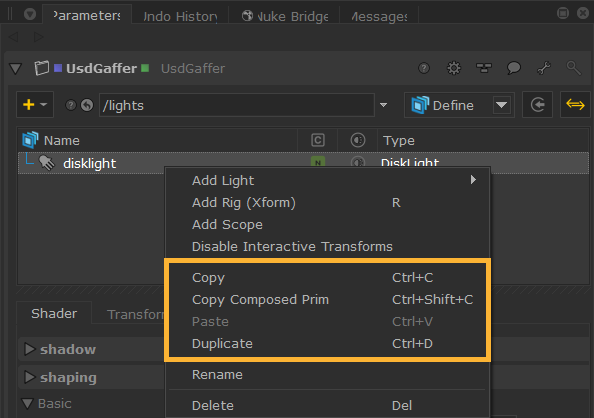
In order to avoid name clashes, the name of the copied prim will be enumerated if a prim of the same name is already present on the node.
When a prim is selected in the tree view before pasting, this will paste the copied prim as a child under the selected prim.
Copy and Paste
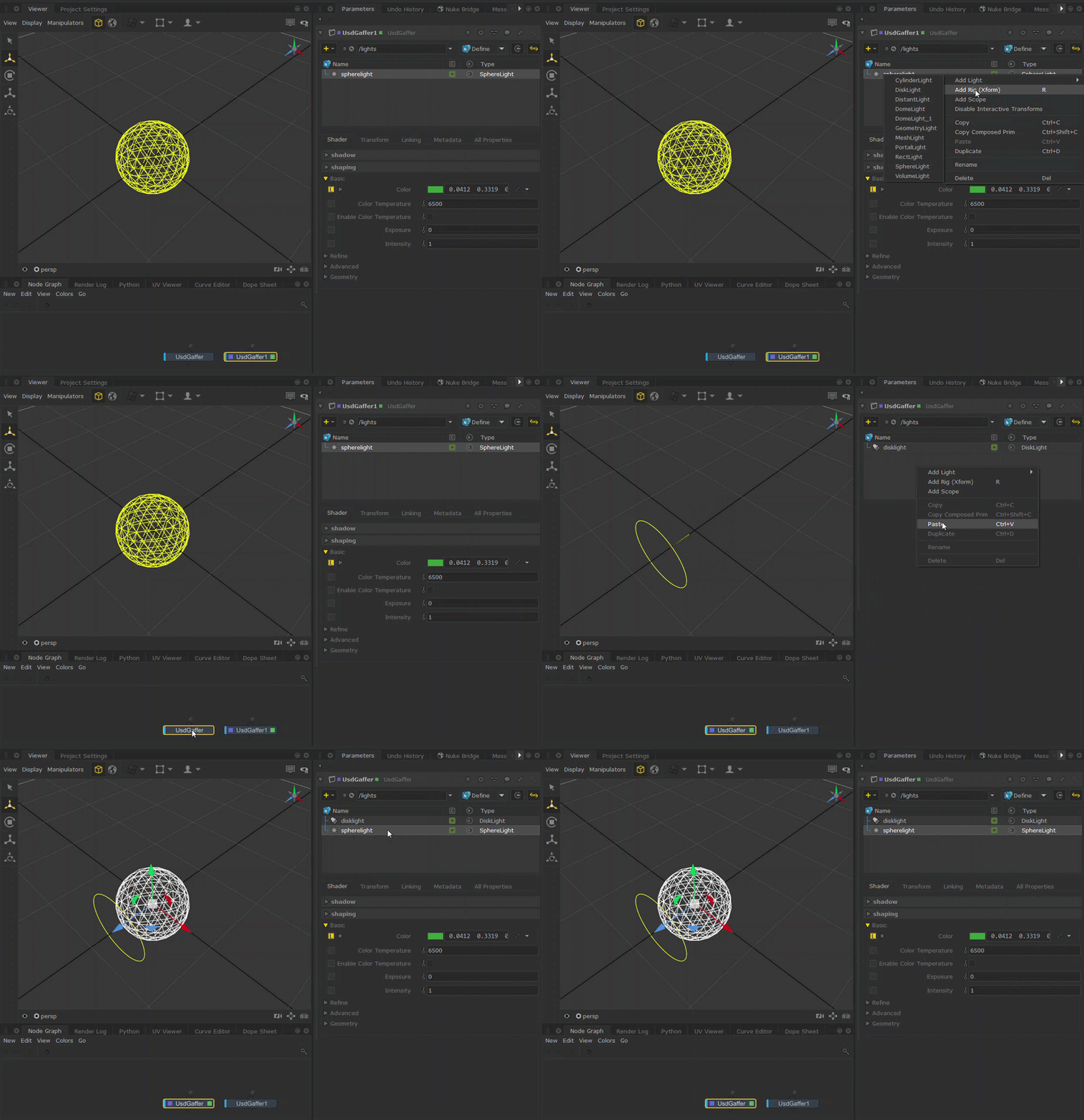
For example, if you have created lights using UsdGaffer, you could Copy a light from one UsdGaffer node to bring it into another UsdGaffer node. As this isn’t an incoming prim, it's not necessary to use Copy Composed as there is no upstream data.
Copy Composed and Paste
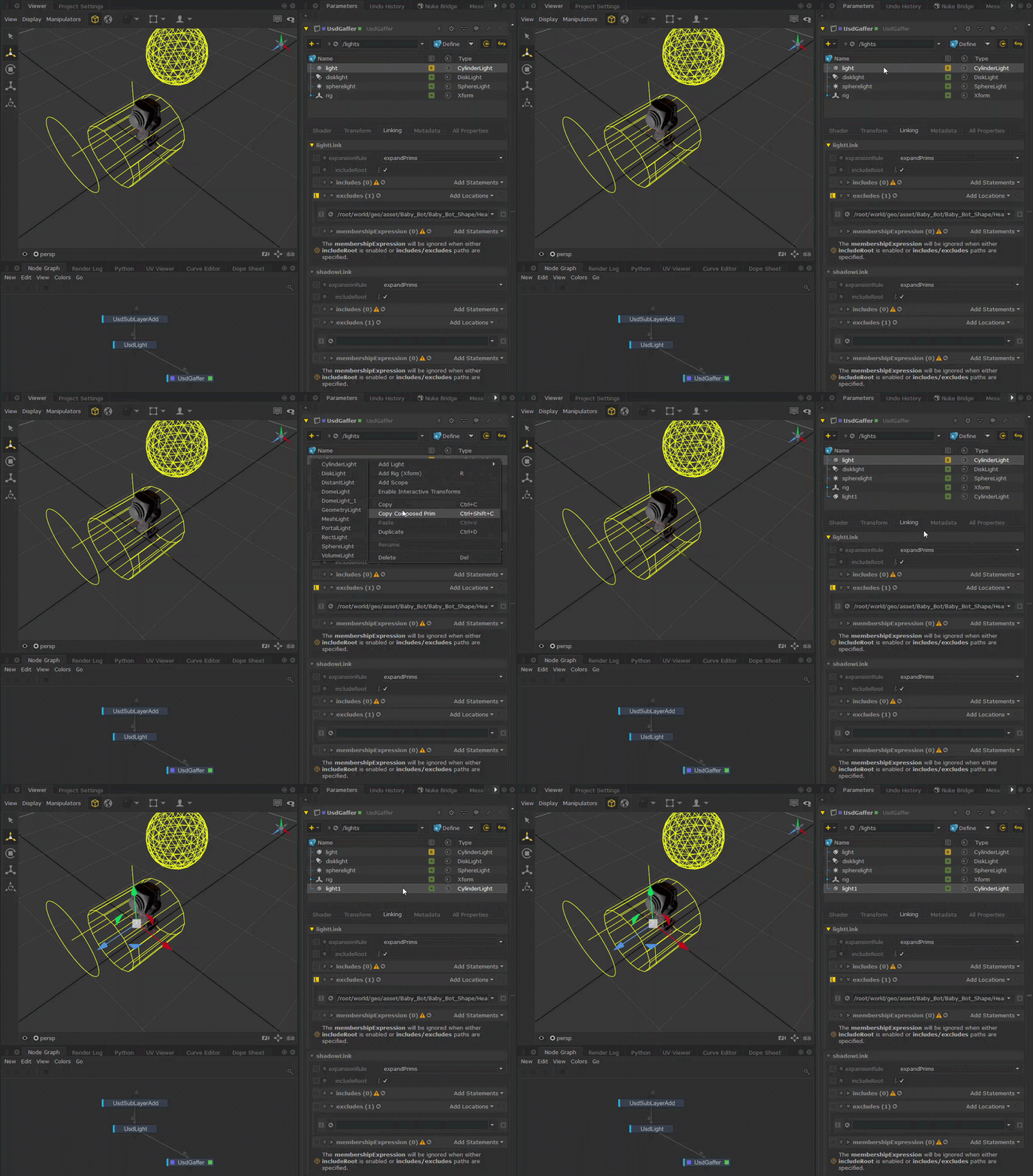
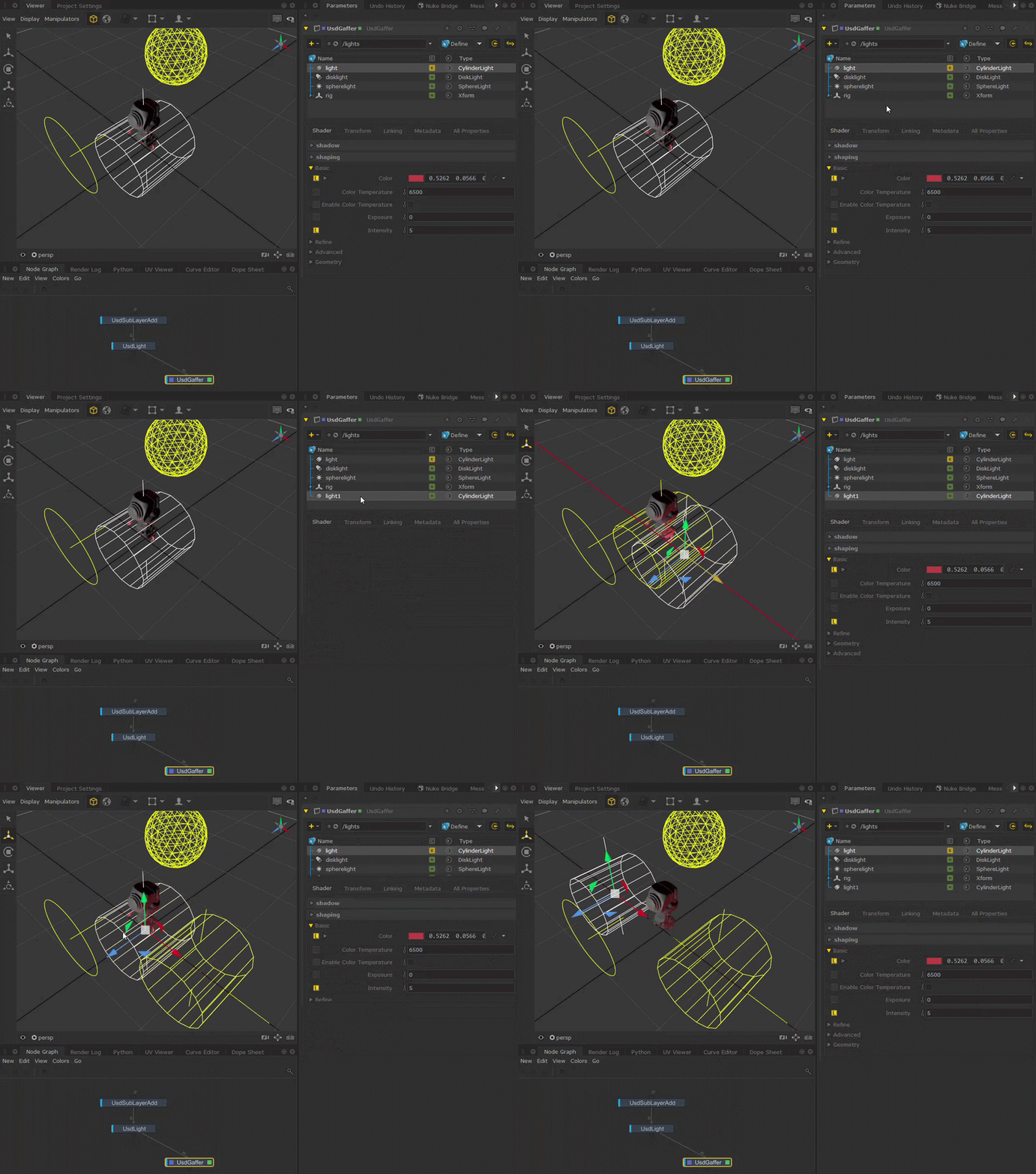
If you do want to copy an incoming prim, Copy Composed and Paste may be more useful. You can take one of the upstream prims imported into the UsdGaffer treeview, and copy and and paste it with all its data, so you would have a full working duplicate of it, with the result of all opinions on the prim rather than just the edits.
For example, by choosing the Copy Composed option on this incoming CylinderLight “light” you can see it has been added to the treeview as a new prim “light1”, retaining all its data.
Duplicate
Or, if you want to copy the prim with all upstream data and opinions, as well as expressions and keyframes, and use it in the same treeview, using Duplicate may be a more efficient option.
For example, choosing to Duplicate the incoming CylinderLight “light” will also copy over its expressions in the Linking tab into the new “light1” prim.